Boundless
Small steps through a high-stakes process
Work from my years as a senior front-end engineer, and later tech lead, at an immigration-technology company that helps people file visa and green card applications. The thread through all of it: turn a confusing, high-stakes process into small, clear steps, for the customer and for the staff who support them.
I was on the Lifetime Value team, which owned retention and repeat purchases rather than acquisition. We overlapped with the growth team, and both teams supported the company’s internal admin tooling.
Team projects, described by what I owned. Teammates built much of the rest, and I’ve said where.
01 / 03
A tourist-visa product
Tech lead for the first version of a standalone app: a quiz that decides eligibility, a checkout, and a dashboard that sets expectations once the customer has paid.
The problem
The company’s existing products stored every answer a customer gave in a single JSON column on their case. That worked for a handful of long applications, but each new product meant new code for the questions, the logic between them, and the dashboard that followed. A tourist-visa product was the next one to add, and the first built as its own small app.
What I owned
The design
I was the tech lead and wrote the technical design for the whole stack. I planned the data models and the entity-attribute-value pattern with the back-end engineers, who built the Rails side.
A model built from questions
Product, section, page, question and question part, each its own entity, with every answer stored as its own record under the case. Adding or changing a question no longer changed the shape of the case, which is why the product became a standalone single-page app.
Goals before code
I sat down with the engineering manager, the product manager, design and stakeholders to settle what the product had to do and what success would mean, then made sure it was tracked.
The front-end
I led it: a questionnaire that decides each next question and the customer’s eligibility, and the dashboard that follows payment. It was built on BUI, the company’s component library, and when a piece didn’t exist yet I added it for the next product to use.
How it worked
The quiz was a tree. Each answer decided what came next, until the customer reached an eligibility result. After payment, a dashboard walked them through six phases and set expectations for what each one involved and what came after.
Results
It shipped as the first version of the product, and it has been rebranded twice since: it works the same, and looks quite different.
Decisions worth telling
Make every answer addressable
Each answer is a record with its own ID. When a case went into review, or a customer needed to change something, one question could be pulled up on its own, and each answer mapped straight onto the right place in the government forms.
Decide when to save, and measure every step
We chose the points in the flow where answers were saved to the database, and sent every event to Segment, so the questionnaire could be measured from the first release.
React / TypeScript Single-page app Rails API Design system
02 / 03
An internal payment tool
Built the tool that let outbound salespeople take payment, government fees included, while still on the phone with the customer.
The problem
Boundless had outbound salespeople who closed customers by phone. They needed to register a customer and take payment for a case while still on the call, and the government filing fee made that harder than it sounds: the customer could pay it themselves, or have Boundless pay it for them, and either way they wanted to see the numbers.
What I owned
The tool, with no designs
I built it in the company’s internal admin app and worked directly with the sales team to decide how it should behave, checking each version with the people who would use it.
One checkout, confirmed
When the company moved to Stripe, the tool moved to a single checkout session instead of separate card and payment-plan integrations. With a back-end partner, a Rails webhook listener confirmed each payment, and the tool polled until it did, so the salesperson could tell the customer their order was paid.
The government fee as a choice
The service fee alone, or with the government fee bundled in, shown as two cards side by side behind a feature flag. Payment plans could cover the government fee too. For adjustment-of-status cases I added the extra questions the fee depends on.
Numbers a customer can follow
A fee breakdown the salesperson could read aloud, payment plans in the same flow, and line items matched to the customer-facing application, so a customer on the phone saw the same numbers as one buying online.
How it worked
On the call, the salesperson offered the service fee alone or with the government fee bundled in, read the breakdown aloud, and took payment in full or on a plan. Once the webhook confirmed it, the order showed as paid.
Results
Higher prices, and payment plans that covered government fees, raised average revenue per Boundless customer by about 29% in 2022. That was a company result across pricing, sales and the customer-facing flow; my part was the internal tool that let the sales team offer it by phone.
Decisions worth telling
Confirm payment, don’t assume it
A finished checkout isn’t a paid order. The tool waited on the webhook before telling the salesperson anything, so nobody on the phone promised a customer something that hadn’t cleared.
Let the payment-plan providers compete
Many customers paid on a plan. SplitIt and Klarna worked differently: one carried the risk of a missed payment, the other left it with Boundless, and their fees differed. Rather than pick one on paper, we tested them against each other.
React / TypeScript Stripe Feature flags Internal tools
03 / 03
Internal tools and a shared component library
Tools for the operations team, contributions to Boundless UI, and leading front-end through a reorganization.
What I owned
Tools for the operations team
A task dashboard with filters that gave the team one place to see and claim work. Drag-and-drop ordering in the document review tool. Automatic task transitions for the tourist-visa operations team.
A design system, as a contributor
Boundless UI (BUI, pronounced “buoy”) was the company’s component library: an opinionated take on Material UI, and a team effort mostly written by others. Over about five months I contributed to it: restructuring it so components were grouped and importable by alias, then adding what the quiz and dashboard flows needed, such as a contextual help button, a just-in-time prompt, notifications, list items, a divider and payment-method icons.
Leading front-end through a hard stretch
During a reorganization, with teammates out on leave, I led front-end on converting a fiancé-visa case into a marriage-based green card application, and took on more of the back-end work behind my own projects so I wasn’t waiting on others to ship.
How it worked
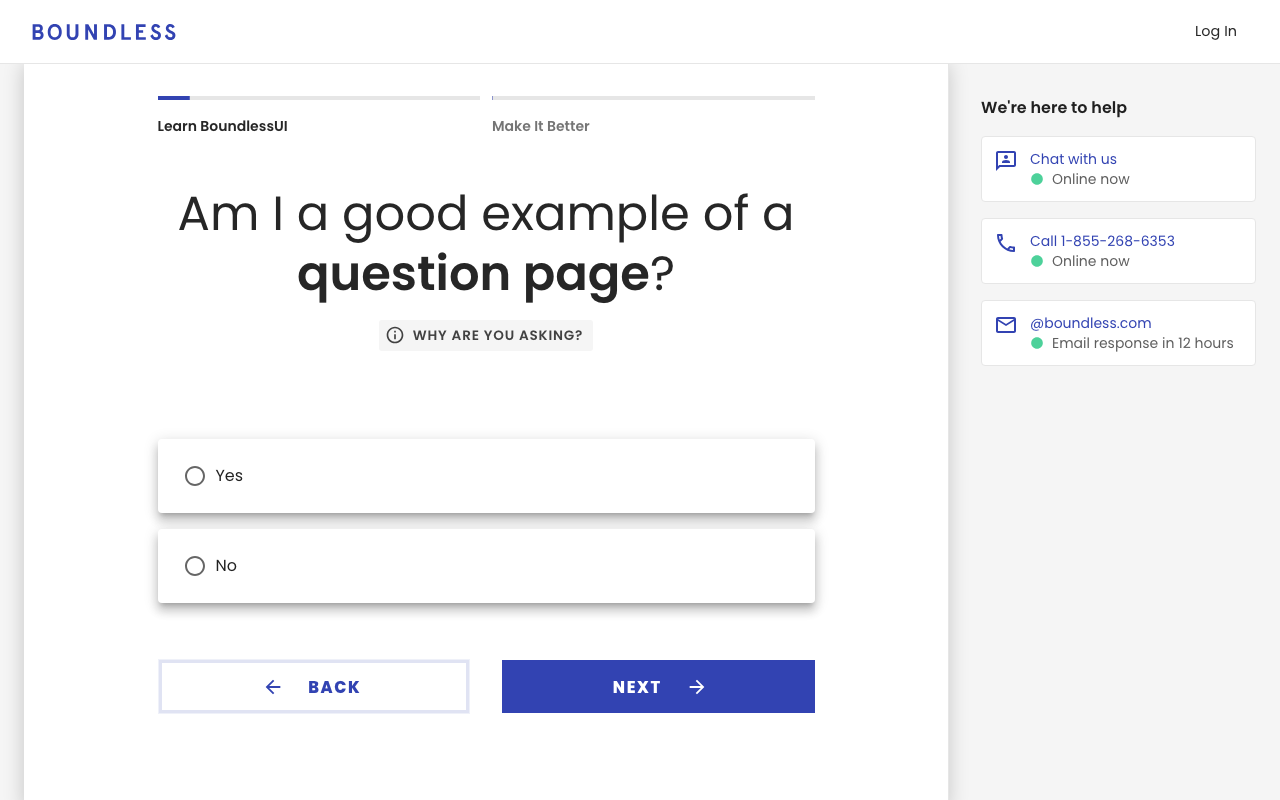
React Material UI Storybook Admin tooling
What ties them together
Settle the goal before the code
Before the tourist-visa product, I sat down with product, design and stakeholders to agree what it had to do and what success meant, then made sure it was being measured.
Make the next one cheaper
A data model that doesn’t change shape with every question, and components added to the shared library instead of rebuilt per product.
Stay useful when the team shrinks
During a reorganization I led front-end and picked up the back-end work behind my own projects, so shipping didn’t wait on someone else.