The Glenway Chalet
A cabin, two systems, one engineer
The Glenway Chalet is a cabin in Maggie Valley, NC, owned through Hygge Hospitality, my company. I build and run two systems for it on my own: a direct-booking site, and the automation that runs each guest’s stay.

01 / 02
A custom direct-booking site
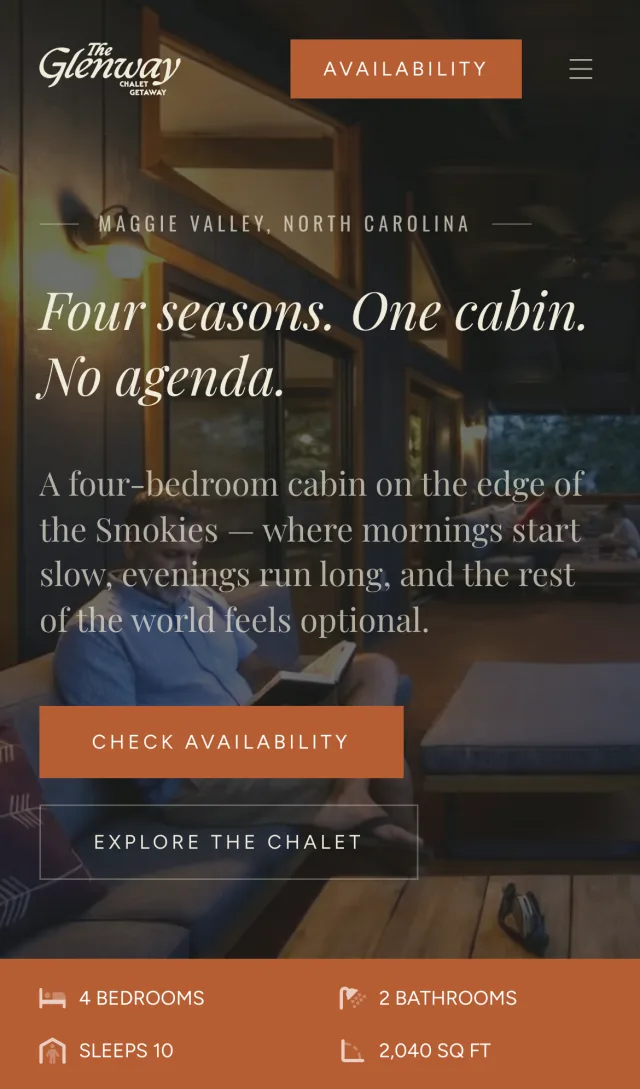
A second way to take bookings, built around Hospitable and Stripe, with a staff dashboard and a guide to the area on the same codebase.
The problem
Most guests find the cabin through listing sites, and that isn’t changing. A direct site gives returning guests and referrals somewhere to book, but only if it’s as trustworthy as the sites they already know: live availability, the right price, secure payment and a signed agreement, with nobody at a front desk.
The same codebase had to give the cleaning staff a schedule, and give search engines a reason to send people to the cabin.
What I built
All of it, on my own, as one TanStack Start app on Netlify.
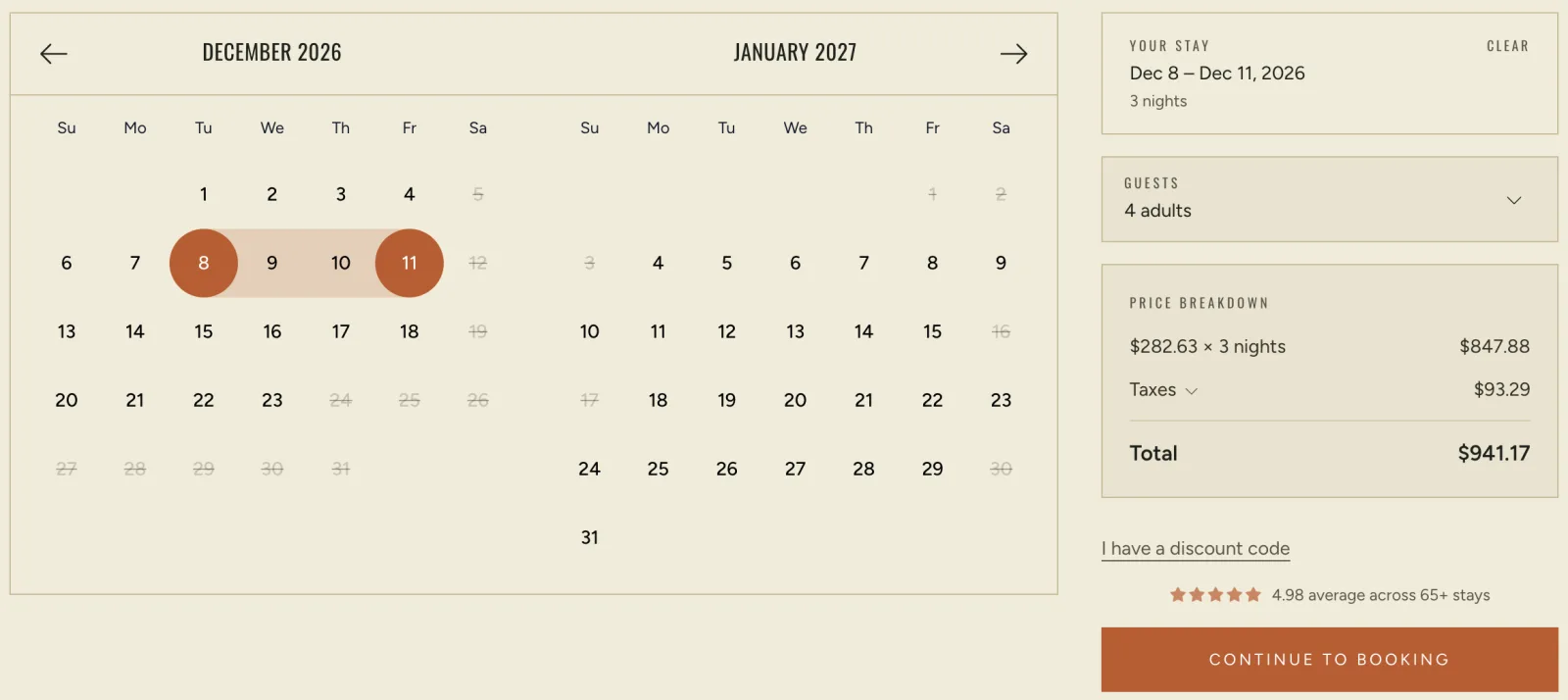
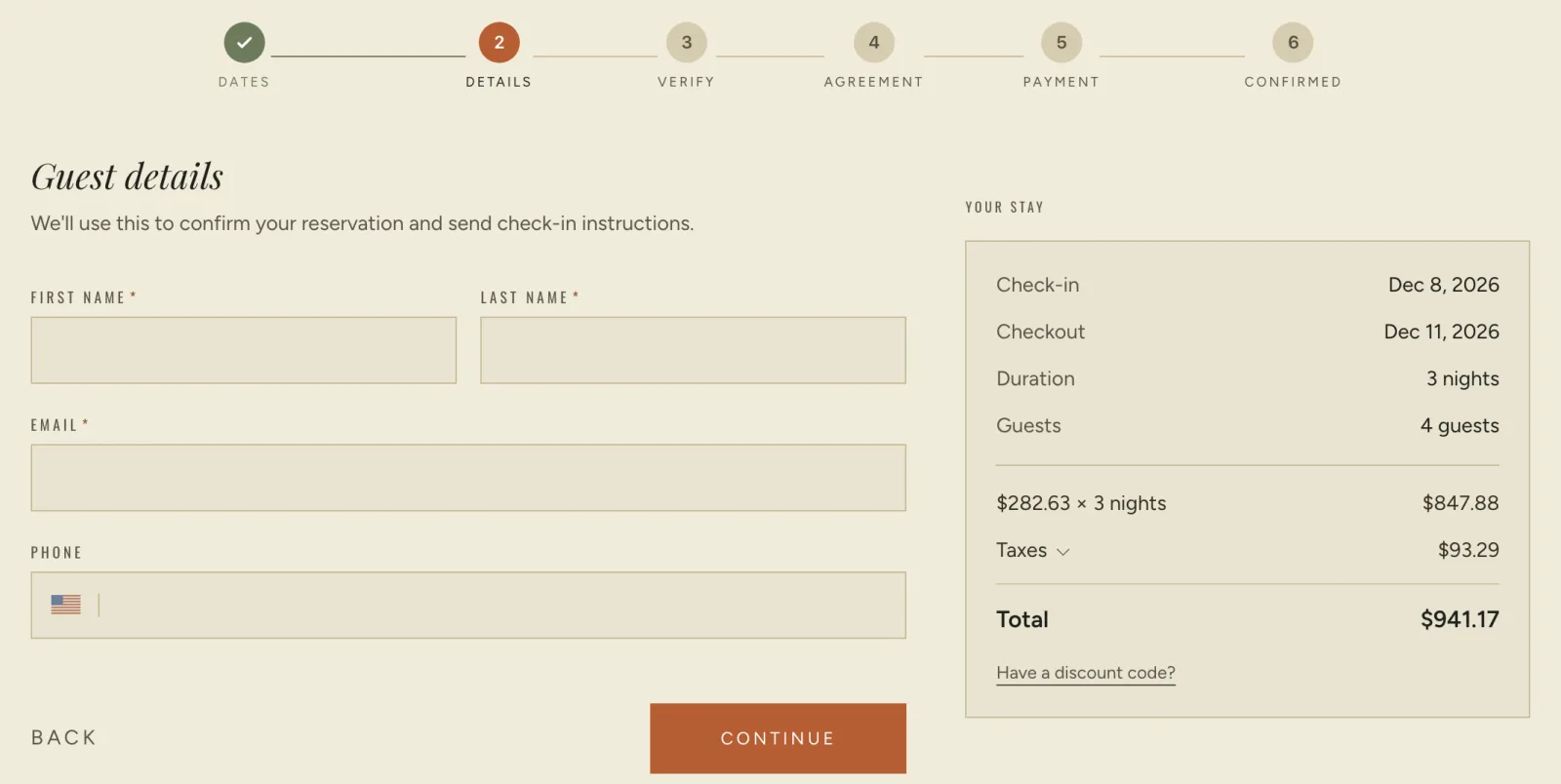
The booking flow
Live availability and quotes from Hospitable, payment and identity verification through Stripe, and a rental agreement the guest signs before paying.
The integration
One typed wrapper is the only code that talks to Hospitable. Its webhooks trigger a targeted resync of the affected calendar months, or a refresh of the cached homepage when a new review arrives, so nothing polls on a timer. Netlify Blobs holds what has to persist, so there’s no database to run.
The staff dashboard
A turnover schedule that merges guest stays with owner blocks, one tap to complete a turnover, restock requests that email the manager, and a calendar feed staff can add to their phones.
The field guide
Ten pages on local dining, hiking, golf and skiing, rendered from one set of components. A single flag per guide controls whether it’s live, in the navigation and in the sitemap.
Results
It’s live, I keep building on it, and it’s where I learn how these services fit together.
Decisions worth telling
Never trust the price from the browser
At payment, the server fetches a fresh quote from Hospitable and runs it through the same pricing code the page used. If they disagree, because the quote went stale or a promo expired, the guest sees that the price changed instead of paying the wrong amount.
Save the agreement before the payment
The signed agreement is written the moment the guest submits it, then linked to the reservation once payment succeeds. Saving it only after a charge would lose the agreement for every abandoned checkout, and that’s the record most likely to matter in a dispute.
Staff never see who’s staying
The dashboard’s reservation query never asks for a guest’s name or booking code, so there’s nothing to leak and nothing to redact.
TanStack Start React 19 TypeScript Stripe Hospitable API Netlify
02 / 02
Guest-stay automation
Door codes created and removed from the live booking calendar, with no one in the loop.
The problem
A self check-in cabin has no front desk. Each guest needs a door code that works the moment the stay starts and stops working when it ends. Doing that by hand means the codes and the calendar eventually drift, and the failure is a guest at a door that won’t open.
What I built
The scheduler
Each morning, Cloud Scheduler triggers a poller on Cloud Run. It reads the day’s check-ins and check-outs from Hospitable and schedules a Cloud Task for each action: create the code an hour before check-in, remove it an hour after checkout.
The lock service
A separate service wraps SimpliSafe’s API. The code comes from the reservation, or the last four digits of the guest’s phone; if neither exists, the stay is skipped and logged rather than scheduled to fail.
The infrastructure
Terraform manages both services, the schedule, and the queues, with retries and a dead-letter queue. Secrets live in Secret Manager, and Cloud Run permissions, not network settings, decide who can call the lock service.
Watching it
Structured logs share one ID across a whole run, and any failed call to Hospitable or SimpliSafe alerts me by email and text. A daily lock-battery check rides along, and doubles as keeping SimpliSafe’s login fresh.
Results
Live since February, it has run every guest stay at the cabin with no one in the loop: a code before check-in, gone after checkout, and an alert to me if anything outside fails.
Decisions worth telling
The poller schedules, it never acts
Each task gets a predictable name, so polling twice just finds the tasks already there. Re-running after a partial failure is the same code path as the first run, not a special case.
Clean up after a deploy, never before
The deploy script used to prune old versions first. A failed deploy could have left nothing to roll back to, so now cleanup only runs after a successful apply.
Page a person on any outside failure
Outside API errors aren’t log lines. Any failure in either service reaches me directly, before a guest finds it.
Node.js Python / Flask Google Cloud Run Cloud Tasks Terraform SimpliSafe API
What ties them together
Let each service do its job
Hospitable owns reservations, Stripe owns payment, SimpliSafe owns the lock. My code connects them, and stays out of their way.
Make it safe to run twice
Idempotent tasks, a price checked on the server, an agreement saved first. Retrying should never make things worse.
Hear about it before a guest does
Alerts on every outside failure, a battery check every morning, and a dashboard that tells staff exactly what to do.